AI virtual try-on for iPhone and Android
See it on you. Front and back.
Your new favourite way to try before you buy. Save two photos of yourself once, then see tops and bottoms on you from the front and the back.



Why people love it
Loved for its front-and-back previews.
-
Front and back
Every look comes to life from the front and the back, side by side.
-
Your photos, untouched
We never reshape or retouch your body. Only the clothes change.
-
Anything you love
Choose from the curated Discover edit, or bring a piece from any shop.
-
The complete look
Pair a top with a bottom and see the whole outfit together.
- 2
- photos, saved once
- 2
- views of every look
- 10
- categories of tops and bottoms
How it works
Four steps, the first one only once.


-
Take your two photos
Stand naturally, head to feet: once facing the camera, once from behind. A simple outline guides you, and the app offers tips for light and focus. Every try-on uses this pair, and you can retake it any time.
-
Discover, or bring your own
Browse a curated edit of T-shirts, polos, shirts and blouses, knitwear, camis, jackets, pants and jeans, skirts and shorts. Or upload a piece you saw elsewhere: a product photo, or a photo of someone wearing it.
-
See it on you, front and back
Pick one piece, or a top and a bottom for the complete look. Almost Dressed shows it on your own photos from the front and the back.
-
Keep, compare, share
Your lookbook keeps every look, front and back side by side. Share a beautiful look card, or shop the piece at the store in a tap.


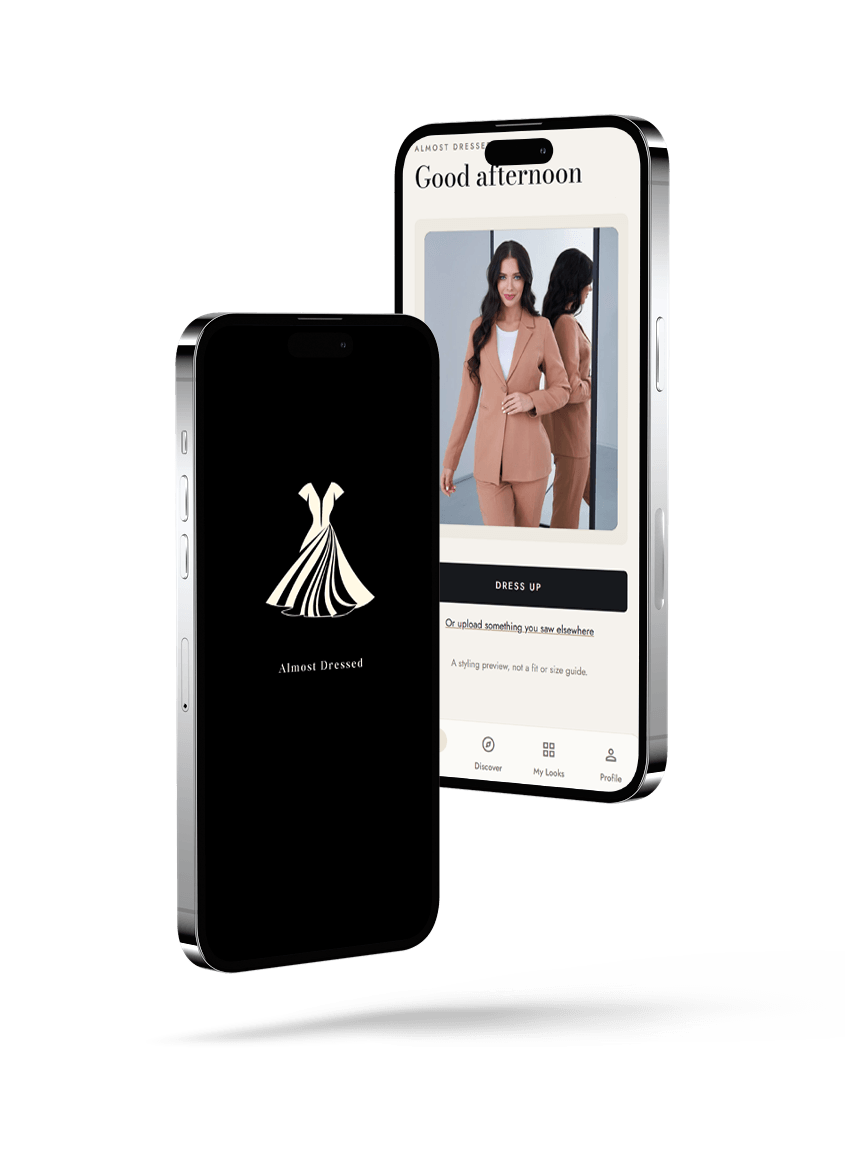
Screens from Almost Dressed, shown with an AI-generated model.
The details
Made for the way you actually shop.

Complete the look
Choose one top and one bottom and try them together, front and back.

Your lookbook
Every look you've made, ready to revisit, compare side by side, or share as a look card.

Upload your own
A product photo, or a photo of someone wearing it. We create the back view with AI and label it.
Front and back, side by side
See both views of a look together, or one at a time.
A curated Discover edit
Tops and bottoms across ten categories, chosen with care.
Compare with the product
Put any look next to the original product photo in a tap.
Share a look card
Front and back together on one elegant card.
Lock with Face ID
Keep your looks and photos behind Face ID if you like.
Shop the piece
Love it? Open the piece at the store in a tap.

Private by design
Your photos stay yours.

Your photos
- Used only to create your looks.
- Delete your looks, your uploads, or everything, any time, from Profile.
- Location data is removed from your photos.
- Lock your looks with Face ID.
- We never reshape or retouch your body.

Clear at a glance
- Back views created by AI carry a small “AI back view” label.
- Compare any look with the original product photo.
- Your looks stay in your lookbook until you choose to delete them.

For brands
Partner with Almost Dressed.
We welcome collaborations with quality clothing brands. We list your catalogue in Almost Dressed with your affiliate links, so shoppers who love a piece after seeing it on themselves, front and back, go straight to your store to buy it.
Share your catalogue
Send us your product feed or a selection of tops and bottoms.
We present it beautifully
Every piece is prepared for try-on, from the front and the back.
Shoppers come to you
One tap takes them to your product page through your affiliate programme.
Questions
Good to know.
Where can I get Almost Dressed?
On the App Store for iPhone and on Google Play for Android.
Will it tell me my size?
Almost Dressed is a styling preview, not a fit or size guide: it shows how a piece looks on you. For sizing, check the store's size guide.
What is an “AI back view”?
Some shops only show the front of a piece. When there's no back photo, we create one with AI from the front and label it “AI back view”. Details such as seams or pockets may differ from the real piece.
Which clothes can I try?
Tops and bottoms: T-shirts, polos, shirts and blouses, knitwear, camis and tanks, jackets and coats, pants and jeans, skirts and shorts. Dresses and one-pieces aren't supported yet.
Can I try something from another shop?
Yes. Upload a product photo of the front, or a photo of someone wearing it, and choose its category. The app prepares the piece and its back view for you.
What happens to my photos?
They're used only to create your looks. To make a look, your photos and the piece are processed by our AI image provider. Location data is removed from your photos. You can delete your looks, your uploads or everything at any time in Profile, and lock your looks with Face ID.
Does it change my body?
No. We never reshape or retouch your body. The preview changes the clothes, not you.
Get the app
Your next favourite piece, seen from every side.
Save your two photos once and start dressing up. Almost Dressed is on the App Store and Google Play.